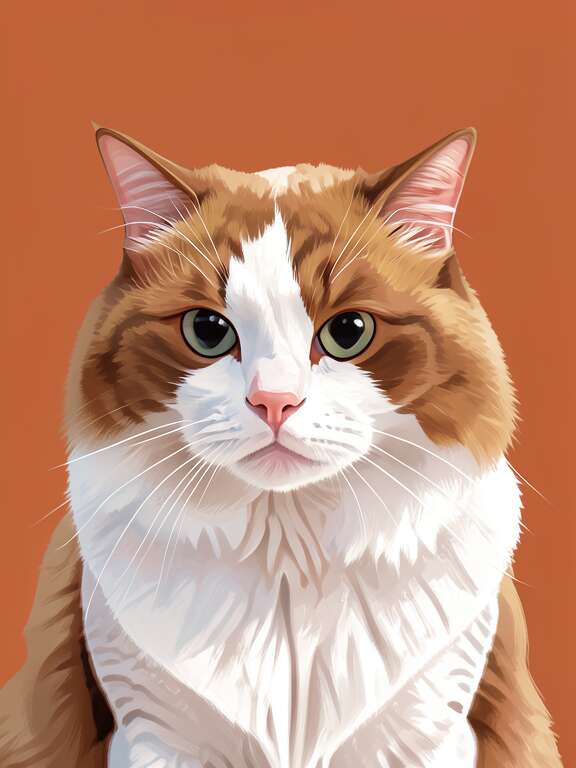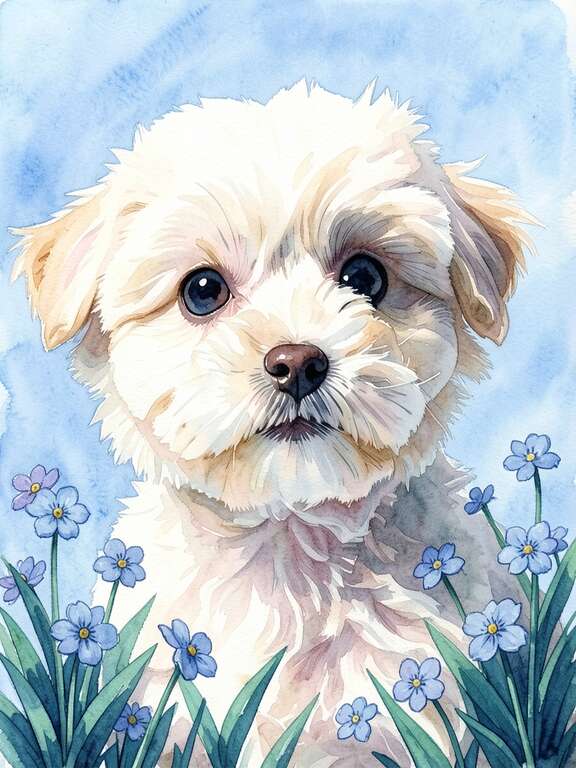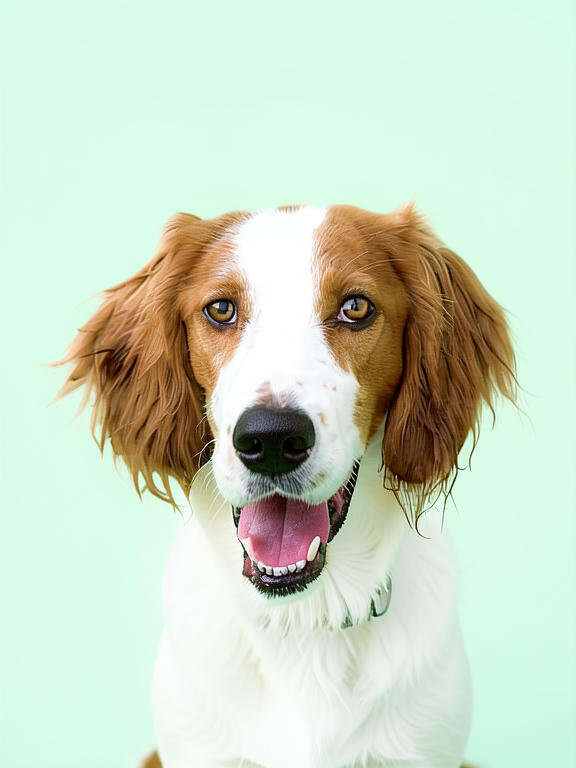
The short answer: Custom pet portraits work in three steps regardless of method. (1) Submit a clear photo of your pet. (2) Choose a style — Etsy artists hand-create over 1-4 weeks ($40-$300+); traditional services ship finished pieces in 2-4 weeks ($60-$200+); AI apps like PawFav generate instantly with unlimited previews ($5-$50 with printing). (3) Receive shipped art or print your digital file at Walgreens (same-day), Costco, Amazon, or home. JPEG at 300 DPI is standard. Total time: 2 hours to 4 weeks depending on path.
Custom pet portraits work in three main ways. With traditional services and Etsy artists, you submit a photo of your pet, the artist creates the portrait over 1 to 4 weeks, and you receive a finished piece shipped to your door or a digital file for printing. With AI apps like PawFav, you upload a photo and instantly preview dozens of artistic styles, then download a high-resolution file and print it yourself at Walgreens, Costco, Walmart, Amazon, or home. This guide walks through every step of the process and answers the most common questions first-time buyers have about commissioning, sizing, file formats, revisions, and printing.
- Three paths: Etsy artists, traditional services, or AI apps
- Photo quality is the single biggest factor in result quality
- Standard file format: JPEG at 300 DPI for print quality
- Walgreens same-day pickup is the fastest print option
You want a custom portrait of your pet. You've seen them on Instagram, on friends' walls, in gift guides. They look amazing. But you've never actually ordered one, and the process feels a little mysterious.
How does the photo turn into art? What kind of photo do you need? What size should you order? Can you print it at Walgreens? What if you don't like the result?
This guide answers every question you might have as a first-time buyer. By the end, you'll know exactly how custom pet portraits work and which method fits your needs.
What Are the Three Paths to a Custom Pet Portrait?
Answer: Three main paths in 2026. (1) Etsy and independent artists ($40-$300+, 1-4 weeks) — hand-created work from indie creators with 1-2 revision rounds. (2) Traditional online portrait services ($60-$200+, 2-4 weeks) — upload a photo and receive a finished piece shipped to your door. (3) AI apps like PawFav ($5-$50 with printing, instant to same-day) — upload a photo, preview unlimited styles, print yourself at any service. All three start the same way (a photo) and end the same way (a portrait on your wall) — they differ in what happens between.
🎨 Path 1: Etsy and Independent Artists
You browse artist portfolios, find a style you love, place an order, and submit a photo of your pet. The artist creates the portrait by hand (digitally or with physical media) over 1 to 4 weeks. You receive either a shipped physical piece or a digital file for printing.
Cost: $40 – $300+ · Timeline: 1 – 4 weeks · Revisions: 1 – 2 rounds typically included🏢 Path 2: Traditional Online Portrait Services
You upload a photo on a company's website, choose a style and size, and the service handles everything: creation, printing, framing, and shipping. A finished, ready-to-hang portrait arrives at your door.
Cost: $60 – $200+ · Timeline: 2 – 4 weeks · Revisions: Varies by service🤖 Path 3: AI Apps (PawFav)
You upload a photo to the app, instantly preview your pet in dozens of artistic styles, pick your favorite, and download a high-resolution file. You then print it yourself at any print service or at home.
Cost: $5 – $50 with printing · Timeline: Minutes to same day · Revisions: Unlimited previewsWhat Kind of Photo Do I Need for a Custom Pet Portrait?
Answer: Five qualities matter. (1) Clear and in focus — sharp, no motion blur. (2) Good lighting — natural daylight near a window is ideal; avoid harsh flash. (3) Face clearly visible — front-facing or slight angle, both eyes if possible. (4) Decent resolution — any modern smartphone photo works; avoid heavily cropped images. (5) Personality showing — the head tilt, regal stare, or goofy grin that makes your pet who they are. Photo quality is the single biggest factor in final portrait quality.
Every custom pet portrait starts with a photo. The quality of your source photo directly affects the quality of the final portrait, regardless of the method you choose. Here's what makes a good source photo:
- Clear and in focus. Your pet's face should be sharp, not blurry. Smartphone cameras work perfectly for this.
- Good lighting. Natural daylight is best. Avoid harsh shadows across the face. Near a window works great.
- Face visible. Front-facing or a slight angle. Both eyes visible if possible. Avoid extreme side profiles unless that's the specific look you want.
- Decent resolution. Any modern smartphone photo is high enough resolution. Avoid heavily cropped or zoomed-in photos that become pixelated.
- Your pet's personality. The best portraits come from photos that capture your pet's character. Their signature head tilt, their goofy grin, their regal stare.
What if you only have a blurry photo? AI apps like PawFav can work with lower-quality photos than human artists typically accept, because the AI reconstructs rather than traces. That said, better input always means better output. If you can, retake the photo before starting.
What about photos of pets who have passed? Absolutely. This is one of the most meaningful uses of custom pet portraits. Any clear photo works, even older photos from several years ago. Memorial portraits are one of the most common reasons people order custom pet art.
What Are the Most Popular Custom Pet Portrait Styles?
Answer: Six styles dominate in 2026. Renaissance and regal (your pet as royalty), watercolor (soft, painterly, gentle), minimalist line art (clean lines, modern), pop art (bold colors, high energy), oil painting (rich brushwork, traditional), and digital illustration (crisp, versatile). Etsy artists specialize in one or two styles; PawFav lets you preview your pet in every style instantly before choosing.
Custom pet portraits come in a wide range of artistic styles. The most popular ones include:
- Renaissance and regal: Your pet dressed as royalty in gilded frames and velvet cloaks. Dramatic, funny, and surprisingly popular.
- Watercolor: Soft edges, flowing colors, and a gentle, painterly feel. Beautiful for calmer, contemplative pets.
- Minimalist line art: Clean, simple lines on a neutral background. Modern and elegant, pairs well with contemporary decor.
- Pop art: Bold colors, graphic shapes, high energy. Perfect for playful, chaotic pets.
- Oil painting: Rich colors, visible brushwork, traditional gallery feel. The classic pet portrait style.
- Digital illustration: Crisp, colorful, and versatile. Works well for printing on everything from canvases to mugs.
With Etsy artists, you choose a style by choosing an artist whose portfolio matches what you want. With traditional services, you typically select from a menu of 3 to 6 style options. With PawFav, you preview your pet in every available style instantly and pick the one that clicks.
How Is a Custom Pet Portrait Actually Created?
Answer: Three different creation processes. Artists spend 3-10 hours studying your photo and creating with paint, pencil, or digital tablet — some send a digital proof before shipping. Traditional services use in-house teams or contracted artists with less transparency in the process. AI apps generate the portrait in seconds using machine learning trained on millions of artistic styles, letting you experiment with as many styles as you like before committing.
With an artist: After you submit your photo, the artist studies it and begins creating. For physical media, they sketch, then paint or draw, then refine. For digital work, they illustrate on a tablet. Most artists spend 3 to 10 hours on a single portrait depending on complexity and medium. Some offer a digital preview before shipping; others ship the finished piece directly.
With a traditional service: The company's team (or contracted artists) create the portrait based on your photo and style selection. The process is typically less transparent, with the finished product arriving as a surprise.
With PawFav: The AI processes your photo in seconds, generating a high-resolution portrait in your chosen style. Because it's instant, you can try as many styles as you want before committing. There's no creation "wait." The result exists the moment you tap the button.
Do Custom Pet Portrait Artists Do Revisions?
Answer: Yes, with caveats. Etsy artists typically include 1-2 rounds of minor revisions in standard pricing — color tweaks, background refinements, detail adjustments. Major changes (switching styles, adding pets) usually cost extra. Traditional services vary widely; read the fine print before ordering. PawFav eliminates revisions entirely because you preview every style before printing — if you don't like one, try another at no cost.
This is where the three paths differ most dramatically.
Etsy artists: Most include 1 to 2 rounds of minor revisions in their pricing. "Minor" typically means adjusting colors, tweaking background elements, or refining details. Major changes like switching styles entirely or adding another pet may cost extra. Always check the seller's revision policy before ordering.
Traditional services: Revision policies vary widely. Some offer satisfaction guarantees with unlimited changes. Others offer no revisions at all, and you receive what they create. Read the fine print.
PawFav: The concept of "revisions" doesn't really apply. You preview the result before printing. If you don't love it, try a different style. There's no back-and-forth because you're in control of the creative selection the entire time.
Be specific with revision requests. "Can you make the eyes a bit warmer and reduce the blue in the background?" is actionable. "It doesn't quite look like him" is frustrating for both of you. Reference specific elements you want changed.
What Size Should I Order for a Custom Pet Portrait?
Answer: Match size to placement. 5x7 or 8x10 for desks and nightstands. 8x10 or 11x14 for hallways and bathrooms. 16x20 or 20x24 for above sofas and beds. 24x30+ for fireplace mantels. Mix sizes for gallery walls — 16x20 centerpiece with 8x10s around it. The 60-75% rule: total arrangement should fill 60-75% of available wall width above your furniture. When in doubt, size up — people rarely regret a larger portrait.
| Placement | Recommended Size | Notes |
|---|---|---|
| Desk or nightstand | 5x7 or 8x10 | Small, personal, easy to frame |
| Hallway or bathroom | 8x10 or 11x14 | Visible but not overpowering |
| Above a sofa or bed | 16x20 or 20x24 | Statement size, commands attention |
| Above a fireplace | 24x30 or larger | Large focal point for the room |
| Gallery wall (centerpiece) | 16x20 | Surround with smaller 8x10 pieces |
| Gallery wall (supporting) | 8x10 or 11x14 | Complement the centerpiece |
The rule of thumb: The portrait should fill about 60 to 75 percent of the wall width above the furniture it hangs over. A 16x20 portrait looks perfect above a nightstand but gets lost above a wide sofa. When in doubt, go bigger. People almost never regret sizing up.
What File Format Do Digital Pet Portraits Come In?
Answer: JPEG is the standard format, accepted by every print service. PNG supports transparent backgrounds (useful for custom backgrounds). Premium artists may offer TIFF for archival quality. Resolution: 300 DPI is the print-quality standard; 150 DPI is the minimum acceptable. PawFav and reputable Etsy artists deliver print-ready files. Don't resize the file before uploading to a print service — let the service handle scaling for best results.
If you receive a digital file (from an Etsy artist or PawFav), you'll need to understand the basics to get a good print:
JPEG: The most common format. Universally accepted by every print service. PawFav delivers JPEG files. Most Etsy artists deliver JPEG.
PNG: Supports transparent backgrounds, useful if you want to place the portrait on a custom background. Slightly larger file sizes than JPEG.
TIFF: Maximum quality, no compression. Some premium artists offer TIFF. Larger file sizes but technically the best for archival printing.
Resolution (DPI): For quality printing, you need at least 150 DPI, ideally 300 DPI. Both PawFav and reputable Etsy artists deliver print-ready resolution. Don't resize the file before uploading to a print service; let the service handle scaling.
Can I Print a Pet Portrait at Walgreens, Costco, or Walmart?
Answer: Yes, all three accept digital files. Walgreens Photo offers same-day canvas, poster, and framed print pickup at thousands of locations ($20-$50 for canvas). Costco Photo offers competitive canvas pricing ($35-$45) with 5-7 day delivery (members only). Walmart Photo is the most budget-friendly ($20-$30 for canvas). Amazon canvas sellers deliver in 2-5 days ($25-$40). Shutterfly offers premium options including metal and acrylic prints. Upload your high-resolution file and choose your size.
| Print Service | Canvas 16x20 | Turnaround |
|---|---|---|
| Walgreens Photo | $30 – $50 | Same day |
| Walmart Photo | $20 – $30 | 1-3 days pickup |
| Costco Photo (members) | $35 – $45 | 5-7 days |
| Amazon canvas sellers | $25 – $40 | 2-5 days |
| Shutterfly / Snapfish | $40 – $80 | 3-7 days |
| Home printing + frame | $15 – $40 | Instant |
🏪 Walgreens Photo
Same-day canvas, poster, and framed print pickup at thousands of locations. The most popular option for same-day needs.
Canvas 11x14: ~$30 · 16x20: ~$50 (watch for 40–60% off sales)🛒 Costco Photo
Competitive canvas pricing with reliable quality. Ships in 5 to 7 days. Members only.
Canvas 16x20: ~$35 – $45📦 Amazon Canvas Sellers
Wide variety of sizes and styles. Gallery-wrapped canvases with Prime shipping in 2 to 5 days.
Canvas 16x20: ~$25 – $40. Look for UV-resistant inks.🖨️ Home Printing
Maximum control with a quality photo printer. Epson P900 or Canon Pixma Pro-200 deliver museum-grade results on fine art paper.
Per print: ~$3 – $10 depending on paper and size🏬 Walmart Photo
Budget-friendly poster and canvas prints with in-store pickup or delivery. Solid everyday quality.
Canvas 11x14: ~$20 – $30📸 Shutterfly / Snapfish
Premium options including metal prints, acrylic, and custom framing. Frequent promotions and sales.
Canvas 16x20: ~$40 – $80. Watch for 50% off codes.- Canvas: Gallery-wrapped, ready to hang, no frame needed. The most popular choice for pet portraits. Looks polished and premium.
- Framed print: Photo paper in a frame. Classic look. Requires a frame purchase ($10 to $80+ depending on size and style).
- Poster: Most affordable option. Looks great in a simple poster frame. Good for testing whether you like a style before investing in canvas.
How Do I Order My First Custom Pet Portrait?
Answer: Five steps, under 2 hours total. (1) Pick a clear well-lit photo. (2) Download PawFav and upload using free credits. (3) Browse styles and download the high-resolution file. (4) Order Walgreens canvas for same-day pickup or Amazon canvas for 2-5 day delivery. (5) Hang and enjoy. Total cost: $25-$50. The whole process is faster than ordering dinner delivery.
Ready to order? Here's the simplest path for a first-time buyer:
That's genuinely it. Five steps. The whole process can take under 2 hours including the Walgreens trip. And once you've done it once, you'll wonder why you waited so long.
What Are the Most Common First-Timer Mistakes?
Answer: Five mistakes to avoid. (1) Using a blurry or dark photo — the single biggest factor in result quality. (2) Ordering too small — an 8x10 looks tiny above a sofa; size up when in doubt. (3) Resizing the file before printing — upload original resolution and let the service scale. (4) Skipping the preview — try 5-10 styles before picking. (5) Forgetting framing costs — printed photos need frames ($10-$30); canvas hangs as-is.
- Using a blurry or dark photo. The single biggest factor in portrait quality. Take 30 seconds to get a clear photo near a window.
- Ordering too small. An 8x10 portrait looks tiny above a sofa. When in doubt, size up. You won't regret it.
- Resizing the file before printing. Upload the original high-resolution file. Let the print service handle any scaling.
- Skipping the preview. With PawFav, try at least 5 to 10 styles before picking. Your first instinct isn't always your best match.
- Forgetting about framing costs. If you order a printed photo instead of canvas, budget $10 to $30 for a frame. Canvas prints hang as-is.
"I ordered my first pet portrait thinking it would be complicated. It took less time than ordering dinner delivery. Now I have six portraits across three rooms and a gallery wall in the hallway. It's addictive in the best way."
Frequently Asked Questions About Custom Pet Portraits
How long does a custom pet portrait take?
Timing varies dramatically by method. AI apps like PawFav create the portrait in seconds; same-day Walgreens printing adds 1-2 hours. Amazon canvas takes 2-5 days. Etsy digital artists take 3-10 days. Etsy physical hand-painted portraits take 1-4 weeks. Traditional services take 2-4 weeks. Holiday rush (November-December, May for Mother's Day) extends timelines by 1-2 weeks.
Are digital pet portraits better than painted ones?
Neither is universally better — they serve different purposes. Digital wins for speed, budget, and versatility (one file works for multiple products). Painted wins for heirloom quality, tactile experience, and supporting independent artists. For everyday decor and gifts, digital is excellent. For milestone heirloom commissions, painted has irreplaceable craftsmanship. Many pet parents own both.
What DPI do I need for a printable pet portrait?
For quality printing, you need at least 150 DPI, ideally 300 DPI at the intended print size. PawFav and reputable Etsy artists deliver files that meet this standard for any size from 8x10 up to 24x30. A 3000x3000 pixel file prints cleanly at 10x10 inches; a 5000x5000 pixel file handles 16x16 inches and beyond. Don't resize before uploading to print services — let them scale appropriately.
Can I order a custom pet portrait same-day?
Yes, with AI apps. Create a portrait in PawFav (minutes), order canvas at Walgreens (same-day pickup at most locations), and pick it up the same afternoon. Total time: under 2 hours. Total cost: $25-$50. Etsy and traditional services cannot match this — they need 1-4 weeks minimum.
How much does a custom pet portrait cost in 2026?
Pricing ranges from $5 to $300+. Cheapest: PawFav + home printing ($5-$15). Best value: PawFav + Walgreens canvas ($25-$50, same-day). Mid-range: Etsy digital illustration ($40-$75). Premium: Etsy hand-painted oil ($150-$300+). See our complete pricing guide for the full breakdown.
Do I need a special photo printer to print at home?
No, any decent inkjet printer can produce a good 8x10 print on photo paper. For premium results at larger sizes, consider an Epson P900 or Canon Pixma Pro-200 ($600-$1,200) with archival inks and fine art paper. For most people, ordering through Walgreens or Amazon is more convenient and affordable than buying a dedicated photo printer.
Can I get a portrait of multiple pets in one image?
Yes. Etsy artists can combine multiple pets into a single composition (usually $30-$50 extra per additional pet). Traditional services often charge per pet too. PawFav generates portraits one pet at a time, but a flat subscription means each additional pet doesn't add cost — many people create individual coordinated portraits and arrange them as a gallery wall instead.
What if I'm not happy with the portrait I receive?
For Etsy: contact the seller about revisions per their policy (most include 1-2 free rounds). For traditional services: check their satisfaction guarantee — some offer free remakes, others don't. For PawFav: simply try a different style — there's no risk because you preview before printing. Read return and revision policies before any purchase.
Ready to Start?
Now you know how custom pet portraits work, from photo to wall. The process is simpler than most people expect, and the result is one of the most meaningful pieces of art you can own.
Your pet is already a masterpiece. You're just making it official.
Create Your First Portrait
Upload a photo, preview styles, and see your pet as art. Free to try, no card required.
Try PawFav Free